A planning tool for bike touring, bikepacking & MTB

Bicycle travel,
thoughtfully mapped.

A browser-based planner for day rides and multi-day tours, paved roads to backcountry trails — wherever the route takes you. Map your route, add overnight stops, shape each day's mileage and elevation, then export GPX files for any GPS device, all in your browser.

Launch Plannier Free · No signup · Opens instantly

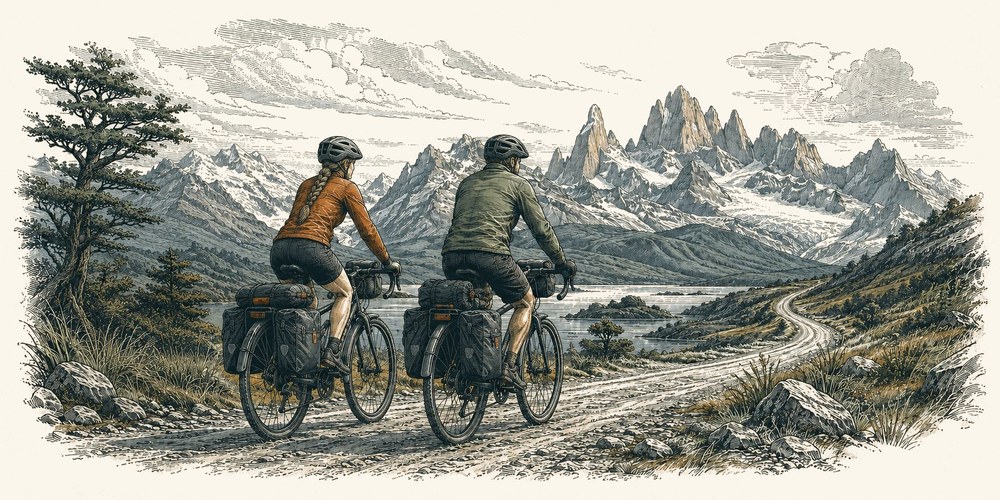
Woodcut illustration of two loaded touring cyclists riding a winding coastal road past a Mediterranean village
Loads & saves
GPX & TCX
Trip shape
Multi-day stages
Where it runs
Any browser
Features

Your whole tour, in one view.

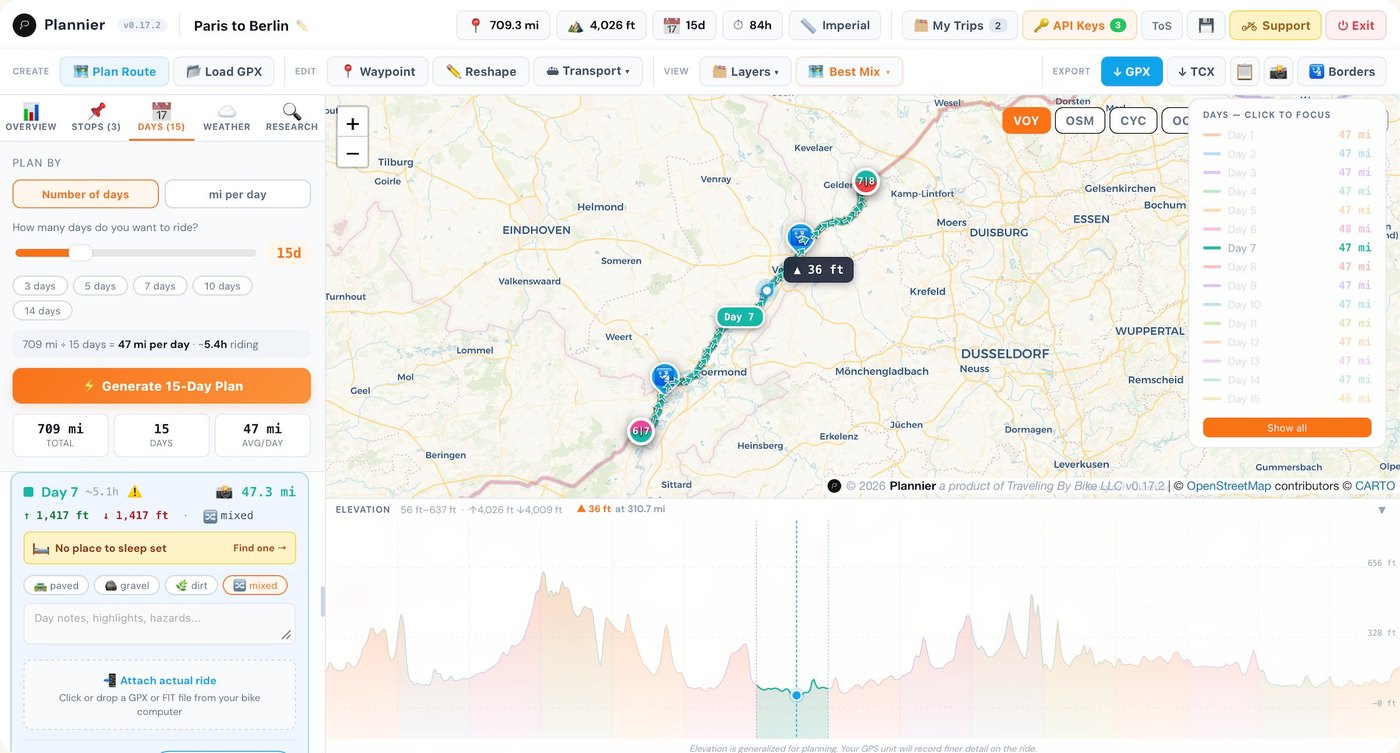
Daily stages, overnight stops, and the elevation ahead — all on one map.

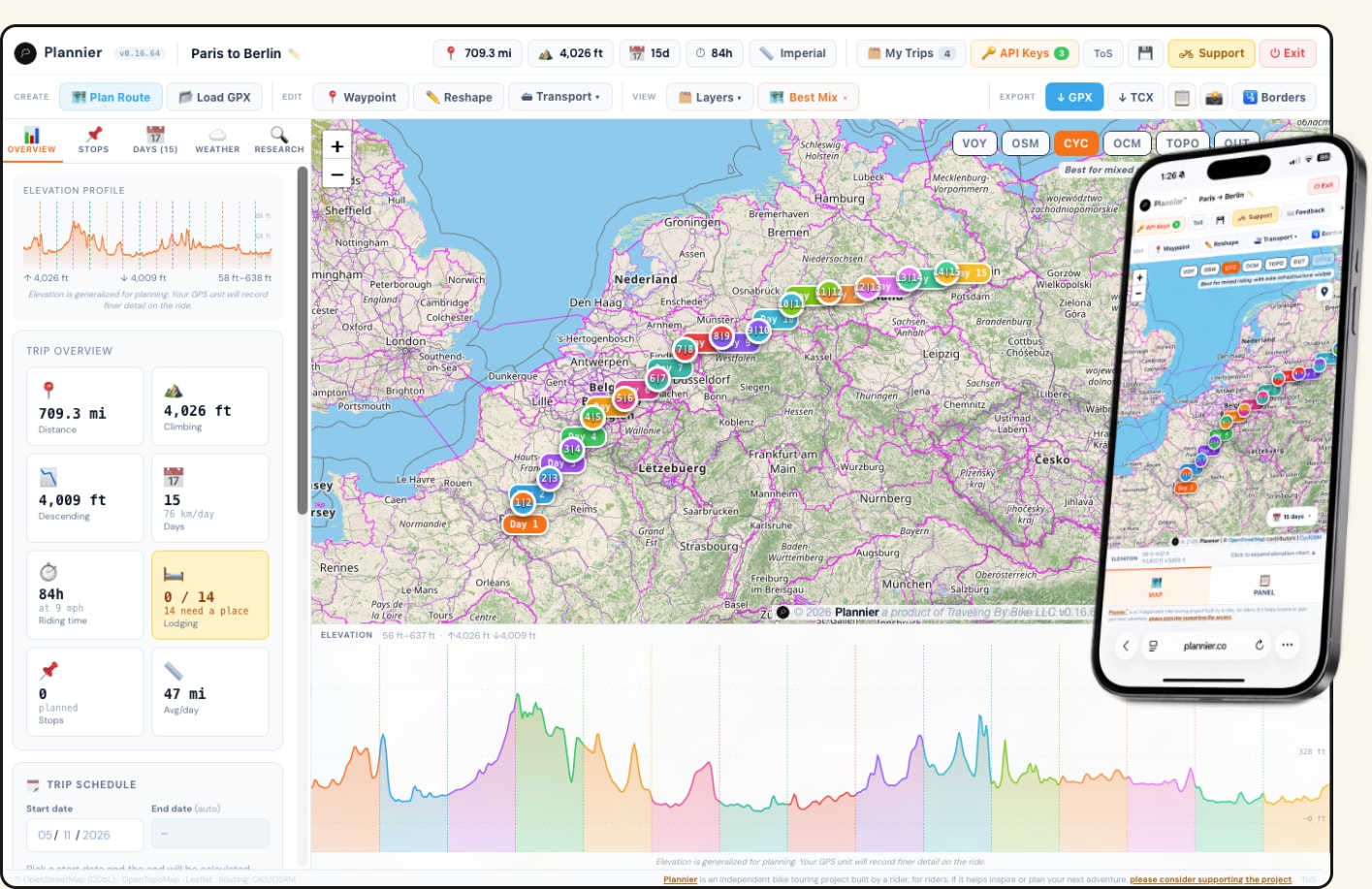
Plannier showing a 15-day Paris-to-Berlin tour: daily stages plotted on the map, elevation profile beneath, and a sidebar card flagging 14 overnight stops that still need lodging
Routing modes

Pick the kind of ride you're planning.

Best Mix
Balanced routing across paved and unpaved roads with a focus on the nicest overall ride.
Touring
Prefers paved roads and signed bike routes. Avoids gravel and rough surfaces when possible.
Road
Fast, direct paved routing for road bikes. Minimizes dirt and rough terrain.
Gravel / Adventure
Mix of pavement and gravel with more adventurous, backroad-friendly routing.
Mountain Bike
Prioritizes trails, singletrack, and off-road riding for MTB routes.
Planning tools

Everything for planning your trip.

Plannier's day-stage planning view with the days legend on the right and a Day 7 detail card with mileage, elevation, and surface type on the left
Plan the route

Place waypoints with a single click.

Click the map to add a stop or end a day — the route stays in your hands, not a routing engine's.

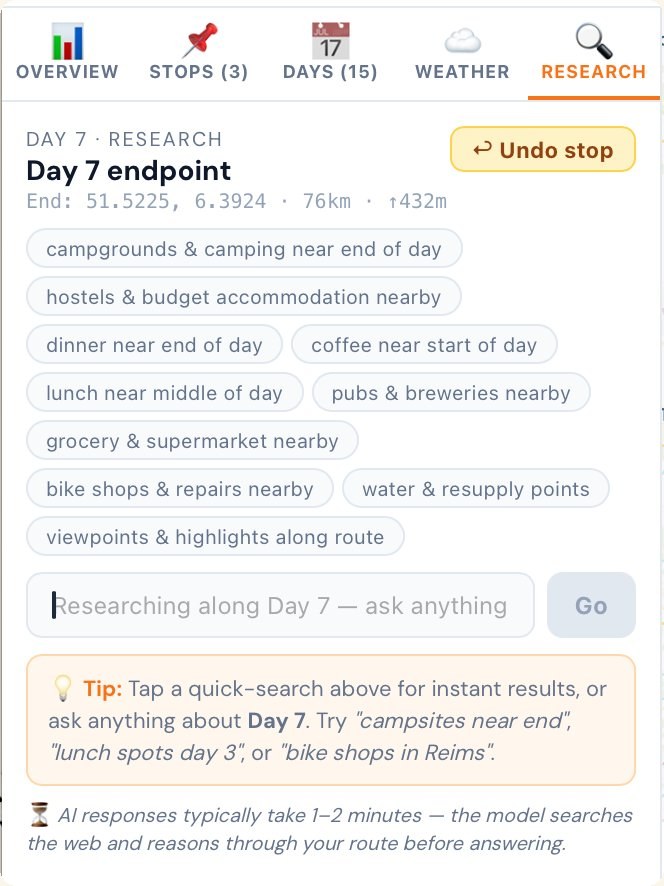
Day 7 research panel with quick-search chips for campgrounds, lodging, water resupply, and a free-form AI question box
Research each day

Find food, water, and a place to sleep.

Search lodging, water, and food along the day's route. Optional AI runs only when you ask, with your own key.

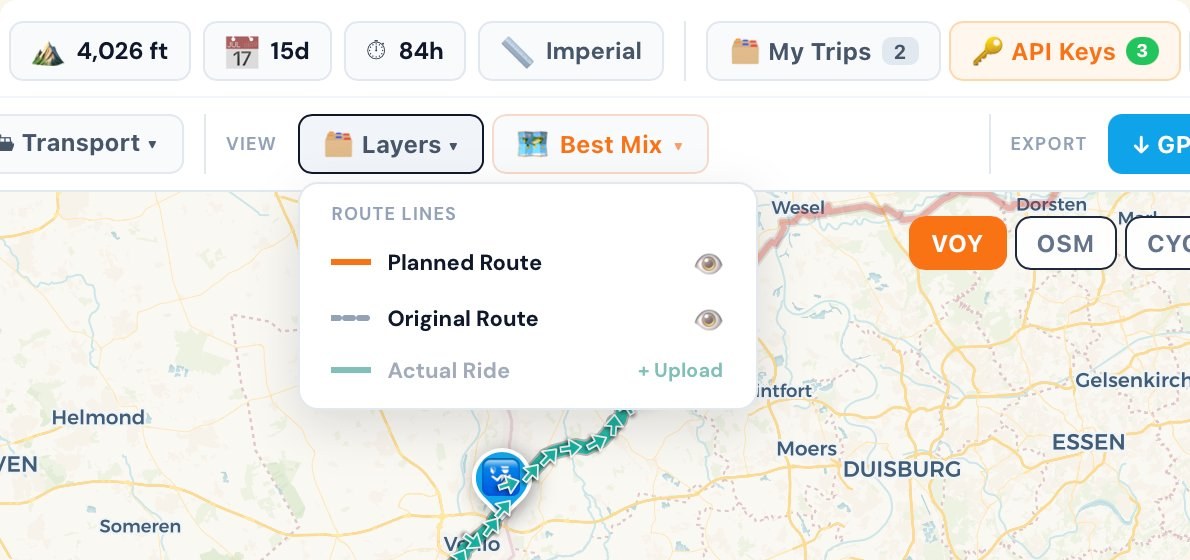
Route Lines layer panel with toggles for Planned Route, Original Route, and Actual Ride
Compare layers

See where you planned, rode, and changed.

Layer your plan, the original GPX, and the ride you actually recorded — then refine the next tour.

Privacy

Your trips stay yours.

Plannier runs entirely in your browser — no cross-site tracking, no profiling, no accounts. Your routes are saved locally on your device, and you can export them as JSON or GPX anytime for backup.

Tutorials

Learn as you ride — coming soon.

01 Getting started Your first route in 60 seconds.

Coming soon — a quick walkthrough of placing your first waypoints, generating a route, and exporting a GPX.

02 Planning a multi-day tour Break a long route into rideable stages with overnight stops.

Coming soon.

03 Importing your own GPX Bring in routes from Komoot, RWGPS, Strava, and anywhere else.

Coming soon.

04 Researching each day with AI Find lodging, food, water, and bike shops along the route.

Coming soon.

05 Exporting to your GPS device GPX, TCX, and tips for Garmin, Wahoo, and phone apps.

Coming soon.

06 Using Plannier on your phone Pulling up your route at the next stop without a dedicated app.

Coming soon.

Use Plannier

Launch. Plan. Ride.

Launch Plannier Free · No signup · Opens instantly
Works on Mac, PC, iOS, Android Version 0.18.30 Latest · June 8, 2026
·
Keep it rolling

Built by a rider, for riders.

Plannier is built and maintained by one long-distance bicycle traveler — no ads, no investors, no subscription. Just a tool to help people ride farther and explore more thoughtfully.

If Plannier helps you plan a ride, please consider chipping in. Donations help cover map tiles, hosting, and the momentum to keep building — and they make sure Plannier stays freely available for everyone. Any amount is greatly appreciated. 🚲

Secure one-time payment Powered by Stripe

Got a bug, an idea, or a story from the road? hello@plannier.co

Run Plannier offline (download)

The local version runs entirely on your machine — same Plannier, no internet required after install. Best for offline use, on-the-road with spotty signal, or if you'd rather not depend on hosting. Currently desktop only (Mac & PC).

Desktop only. The local version works on Mac & PC. For phone, use Launch Plannier above.
File
plannier.zip
Platform
Mac & PC desktop only
Version
0.18.30 Latest · June 8, 2026
License
Free · donation-supported
How to run it

Setup, then launch.

  1. Install Node.js (free, ~50 MB) from nodejs.org — pick the LTS version and run the installer with default options.
  2. Click Download Plannier above. Plannier.zip lands in your Downloads folder.
  3. Right-click Plannier.zipExtract All… → click Extract. You'll get a folder called Plannier. If you see a Plannier folder inside another Plannier folder, that's normal — the one you want is the inner folder, the one with START PLANNIER (Windows).bat directly inside it.
  4. Move the Plannier folder out of Downloads to somewhere permanent — Documents, your user folder, or anywhere stable. Don't run it from Downloads.
  5. Open the folder you just moved and double-click One-time setup (Windows).bat. This creates a Plannier shortcut on your Desktop and in your Start Menu. Takes a few seconds. If Windows SmartScreen warns "Windows protected your PC", click More info, then Run anyway. Only needed the first time.
  6. Double-click the Plannier shortcut on your Desktop to launch. First launch takes about a minute (installing dependencies); after that, 2–3 seconds. A terminal window opens and must stay open while you use Plannier — that window IS the local server. When you're done, click the ⏻ Exit button in the app and the terminal closes itself.
  1. Install Node.js (free, ~50 MB) from nodejs.org — pick the LTS version and run the installer with default options.
  2. Click Download Plannier above. Plannier.zip lands in your Downloads folder.
  3. Double-click Plannier.zip in Finder. macOS unzips it into a folder called Plannier.
  4. Move the Plannier folder out of Downloads to somewhere permanent — Applications, Documents, or wherever you keep apps. Don't run it from Downloads.
  5. Open the folder you just moved and double-click One-time setup (Mac).command. This creates a Plannier.app on your Desktop with the proper icon. Takes a few seconds. If macOS says "can't be opened because it's from an unidentified developer", open System Settings → Privacy & Security, scroll down, and click Open Anyway. Only needed the first time.
  6. Double-click Plannier.app on your Desktop to launch. First launch takes about a minute (installing dependencies); after that, 2–3 seconds. A terminal window opens and must stay open while you use Plannier — that window IS the local server. When you're done, click the ⏻ Exit button in the app and the terminal closes itself. If the page doesn't load, click into the browser's address bar and type http:// in front of the address, then press Return. Some Mac browsers strip the prefix from local file URLs.
Optional Launch without the Desktop shortcut

You can skip the one-time setup and launch Plannier straight from the folder. Double-click START PLANNIER (Mac).command or START PLANNIER (Windows).bat inside the Plannier folder whenever you want to use it.

If you do use the Desktop shortcut and later move the Plannier folder, re-run the one-time setup to refresh the shortcut.

Optional Install Plannier as a browser app (PWA)

Once Plannier is open in your browser, you can "install" it as a Progressive Web App — a standalone window without browser chrome that launches from your dock, Start Menu, or apps list.

Chrome / Edge / Brave: look at the right end of the URL bar for a small Install icon (a monitor with a downward arrow) and click it.

Safari on macOS 14 Sonoma or newer: Share menu → Add to Dock.

Safari on older macOS, or Firefox: PWA install isn't supported there — use Chrome/Edge/Brave instead, or stick with the Desktop shortcut from the steps above.

The PWA is just a display shell — Plannier's local server still needs to be running. Launch from your Desktop shortcut first, or keep the START PLANNIER terminal window open.